Highlights
- Strong, unique passwords, multifactor authentication, and recognizing suspicious messages are important cybersecurity habits for individuals and businesses.
- Protect sensitive financial information by using secure document-sharing methods, keeping devices updated, and backing up important files.
- When working with a bookkeeper, appropriately limited account access can help protect your information while making bookkeeping more efficient.
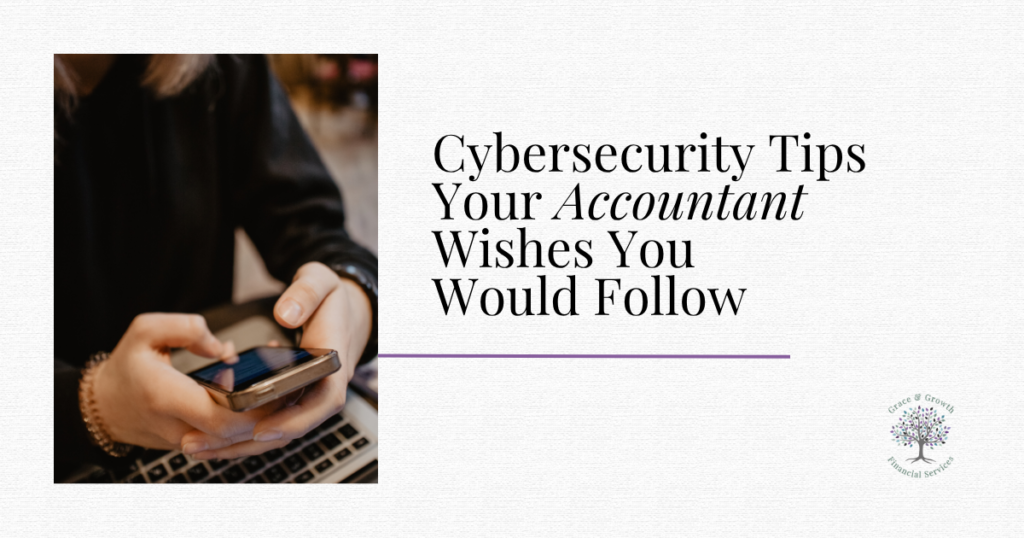
Cybersecurity Awareness Month is celebrated every October, giving us a good reminder to brush up on our own cybersecurity practices, whether in our personal lives or our businesses. As financial professionals who regularly work with sensitive information, cybersecurity is something we take seriously and heavily consider in the work that we do. With so much of our personal and financial information stored or shared digitally today, we need to be aware of cybersecurity risks in everyday activities like online banking, shopping, booking travel, and managing business finances. And with decades of experience in the accounting and bookkeeping industries, we’ve seen some things: both successes and failures when it comes to cybersecurity for individuals and businesses. This month we’re sharing the cybersecurity tips we wish that all of our clients and friends practiced to keep their personal and financial information protected.
These cybersecurity tips were shared from the knowledge and experience of our team members and are supported by leaders in the cybersecurity industry. While we are not cybersecurity professionals, we recognize that everyone’s needs and circumstances are different. We encourage you to do your own research and consult qualified professionals when necessary to determine the best ways to protect your personal and financial information. To continue learning beyond our suggestions, check out the resources at the end of this article.
Cybersecurity Habits Everyone Should Practice
1. Use Strong, Unique Passwords and a Password Manager
One of our top tips for our clients and friends is to use strong, unique passwords. What does that mean? We suggest not using words or information in your passwords that could be easily guessed or discovered (like your mother’s name, your birthdate, your SSN, or the word “password”). Similarly, using the same password for every online account poses a threat to your cybersecurity.
The way you store your passwords matters, too. One way you can safely store your passwords is to use a secure password manager (something like RoboForm). Our team uses a password manager for our business logins, and the best thing is, you generally only need to remember one master password. Another strategy is to use a reputable random password generator to create better passwords for you; most password managers include password generators.
2. Turn On Multifactor Authentication (MFA)
Turning on multifactor authentication (also called MFA) can add another layer of security to things like your email, banking, accounting, and payroll accounts. MFA requires you to log in (be authenticated) using more than one method or category (like entering both a typed password and a received security code), creating more than one obstacle for bad actors who may be trying to gain access to your accounts. When available, using an authenticator app (in place of simple text codes) can add even more strength to your defenses.
3. Think Before You Click!
When using computers, phones, or other electronic devices connected to the internet, remember the phrase “think before you click.” Scams on the internet are so common these days, from phishing (and smishing, vishing, and quishing, etc.) to malicious links posing deceptively as legitimate ones, to urgent requests for information or money, and more. By being savvy and aware of common scams, you can help protect yourself and your data.
A good rule of thumb is to pause and verify: Pause if a communication you receive is urgent, unexpected, or just unusual. Then, before going any further, verify its authenticity through another avenue. For example, before responding to an unexpected wire request through email, reach out to the sender through another method you know is authentic, such as a phone number you already have or one listed on their official website. (Or, ask them in person if you work in the same office!)
Another situation where this advice is especially important is when receiving e-signature requests. Don’t automatically assume that a DocuSign (or other e-signature) request is legitimate, especially if you weren’t expecting it. If you’re unsure, follow the verification steps above before opening or signing anything. And if you’re the one sending an e-signature request, consider notifying the recipient by phone or text so they know to expect a genuine request.
4. Share Sensitive Financial Documents Securely
Sometimes, you need to share documents containing sensitive information with others, such as your accountant. We caution against sharing unprotected documents containing sensitive information, such as SSNs or banking information, through ordinary email, and we encourage our clients to stick to secure document-sharing methods when giving us access to documents.
Whenever possible, use a secure client portal provided by the professional receiving your documents. If a portal isn’t available, consider these alternatives:
- Cloud storage platforms like Google Drive, OneDrive, or Dropbox: These services allow you to share documents through secure links. However, the security of these links depends on the sharing settings you select. Restrict access to specific recipients rather than allowing anyone with the link to view the files. Some services and subscription levels also offer additional protections, such as password-protected links and expiration dates.
- Encrypted email: Some email providers offer encryption or confidential messaging options that provide additional protection.
- Password-protected documents: An encrypted PDF can provide another layer of security. Be sure to communicate the password separately, preferably by phone or text rather than through the same method used to share the document.
Before sharing sensitive documents, double-check the recipient’s email address, review the sharing permissions, and consider setting an expiration date or removing access once the documents are no longer needed.
When sharing documents with our office, we encourage you to use our secure client portal rather than sending sensitive information through regular email.
5. Keep Your Devices and Software Protected
Not keeping your devices and software updated can leave them vulnerable to cyber-attacks. Updates often fix flaws or bugs that can be exploited.
We also encourage the use of reputable security software for your computer. Security software varies in complexity and price, but there are reputable free options available for those looking for basic protection. Depending on the program, security software can offer features ranging from network security scanning, antivirus protection, VPNs for more private internet connections, and more. Consult an IT or cybersecurity professional for help determining the best software for your situation.
6. Back Up Your Important Files
Managing a life, and/or a family, and/or a business comes with lots of files, documents, and records to keep track of. To ensure that important records can be recovered in the event of a natural disaster, accident, or cybersecurity attack, it is advisable to use secure cloud storage or offsite backups.
Popular cloud storage services include Microsoft OneDrive, Google Drive, and Dropbox. However, because these services synchronize files across devices, accidental deletions or corrupted files may also be synced. Consider using a separate backup service, such as IDrive or Backupify, that maintains independent copies and previous versions of your files.
When setting up your backup service, enable deletion confirmations or safeguards against accidental deletions, if available. Also, choose an automatic backup schedule (such as daily or weekly) so your files are backed up regularly without having to remember to do it yourself. Periodically test your ability to restore files to ensure your backups are working properly.
Another excellent option is an external hard drive. In fact, an external hard drive that is disconnected from your computer when not in use and stored in a secure, separate location can be one of the safest ways to protect your files from cyberattacks.
For businesses, having secure, recoverable backups can make a monumental difference if a cyberattack holds files hostage, because you’ll already have copies of the files you need stored elsewhere.
If you are a business owner unsure of what documents and records should be kept versus shredded/deleted, check out our Small Business Guide to Record Retention and Digital Archives.
An Additional Tip for Anyone Working With a Bookkeeper
7. Give Your Bookkeeper Appropriate Access to Financial Accounts
Our last tip for this article is specifically for those working with an accountant or bookkeeper. If you need to share bank account information and transactions with someone managing your books for you, we suggest avoiding sharing your own login credentials. Instead, work with them and your financial institution to grant them appropriately limited access, such as their own login with read-only access, when available, rather than granting them full access.
This can be beneficial in two ways: First, it helps protect your information by limiting access to only the account details and functions necessary for the work, rather than giving someone unrestricted access. Establishing these boundaries helps protect both parties and builds trust in the professional relationship.
Second, it can improve bookkeeping efficiency if your accounting and bookkeeping team has their own login credentials to your accounts. This can reduce the need to coordinate login attempts and wait for clients to forward verification codes.
Protecting Your Financial Information Matters
Hopefully by this point, it is clear why cybersecurity matters to financial services professionals like us. We want your personal and financial information to stay safe and secure! And being aware of cybersecurity all year long, not only during October, is a great first step. Small, everyday cybersecurity habits, like changing that long-overdue password or pausing and verifying before clicking the link in that message, can give you a stronger chance of avoiding cybersecurity hacks and scams. Remember: Convenience shouldn’t come at the expense of security. A few extra steps today can help prevent costly consequences tomorrow.
At Grace & Growth, we acknowledge the trust our clients put in us by trusting us with their personal and business data, and we don’t treat that lightly. We care about keeping our clients and their information safe. Cybersecurity is something we take seriously in our own work, and we want our clients to have the tools to better safeguard their information, too. We hope you’ll walk away from this article equipped with a few ways you can stay safer in this ever-changing world. If you’re a Grace & Growth client and aren’t sure how to securely communicate or share sensitive information, documents, or account access with our team, please reach out. We’re happy to help you determine an appropriate, secure way to provide the information we need. text
Resources
- Cybersecurity and Infrastructure Security Agency (CISA): Cybersecurity Awareness Month
- Center for Internet Security (CIS): 11 Cyber Defense Tips to Stay Secure at Work and Home
- The Cyber Guild: 10 Cybersecurity Tips That Work in 2026
- IBM: What Is the Principle of Least Privilege (PoLP)?
- AVG: Cybersecurity for Small Businesses: Top Tips and Why It Matters